
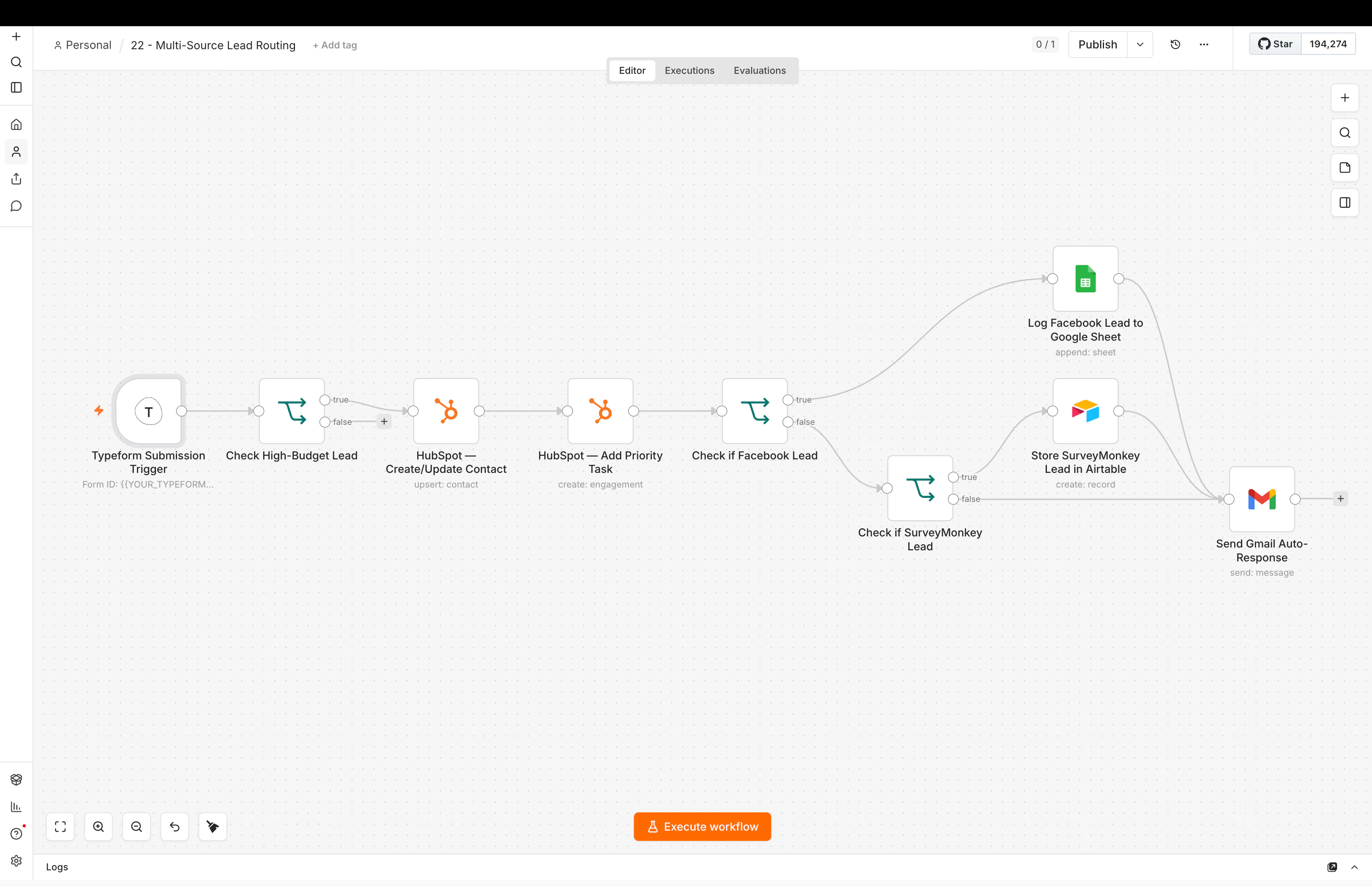
From Lead Form to CRM to Follow-Up: What I Learned Connecting the Whole System
A lead form looks simple.
Someone enters a name, email, phone number, and message.
The hard part starts after they click submit.
Where does the lead go?
Who owns it?
How do you know where it came from?
What happens if the person already exists?
How fast does someone reply?
What happens if nobody follows up?
This is why I stopped thinking about lead capture as only a form problem.
It is a system problem.
The form is only the start
A good lead flow may look like this:
Ad or website → form → clean data → CRM check → source tracking → qualification → owner → pipeline → first response → follow-up → reporting
Every step should preserve context.
If the lead arrives in the CRM but the source is missing, part of the system failed.
If the source is saved but nobody owns the lead, part of the system failed.
If the lead is assigned but follow-up depends on memory, part of the system failed.
The goal is not only to move data.
The goal is to move the next action with the data.
Lesson 1: save source information early
Lead source becomes harder to recover later.
I try to keep useful context from the start.
That can include:
- channel
- campaign
- form
- landing page
- UTM values
- ad or creative reference
- referral source
Not every business needs every field.
But if marketing wants to know what created a lead, the system needs to save enough information to answer the question later.
This is part of the bigger Revenue Operations automation problem: connecting acquisition to pipeline and outcomes.
Lesson 2: normalize the data before it spreads
Different sources send different field names and formats.
One form may send first_name.
Another sends name.
Phone numbers may arrive in different formats.
Service names may be written differently.
If you let that inconsistency move through the whole system, every later step becomes harder.
So I like cleaning the important fields near the start.
The rest of the workflow should work with one clear structure.
Lesson 3: check the CRM before creating another record
Duplicate contacts create strange problems.
A person may already exist from an old form, a call, or a previous deal.
If the workflow creates a new record every time, context gets split.
Before creating a contact, I want to know:
- Does this email already exist?
- Does this phone number already exist?
- Is there an open opportunity?
- Who already owns the relationship?
The answer can change what happens next.
This is one reason CRM automation needs more than simple “create contact” actions.
Lesson 4: qualification should use the clearest signals first
Not every lead needs AI.
Some qualification signals are simple:
- service requested
- location
- budget range
- company size
- timing
Those can use normal rules.
Then AI can help with the messy part, such as a free-text message.
For example, AI can read:
“We run Meta ads and get enough leads, but nobody follows up consistently and our CRM is a mess.”
and classify the main need as CRM and lead follow-up automation.
I explain the rule-versus-AI decision in when to use AI in an automation and when to use rules.
Lesson 5: routing needs a real ownership rule
“Send it to sales” is not a routing rule.
Who exactly owns the lead?
Routing may depend on:
- territory
- service
- team
- round robin
- current account owner
- availability
- lead quality
The system should apply the rule and make the owner visible in the CRM.
If nobody can tell who owns the next step, the automation has not finished the job.
Lesson 6: the first response and the real follow-up are different
An automatic acknowledgement is useful.
It tells the lead the form worked.
But that is not the same as real follow-up.
The system still needs to know:
- who should respond
- how quickly
- what happens if they do not
- when reminders should fire
- when the sequence should stop
This is why I like connecting CRM ownership with follow-up logic.
My guide on automating lead follow-up without losing the human touch goes deeper into that part.
Lesson 7: stop conditions are as important as start conditions
A lead may reply.
They may book.
They may become a customer.
They may ask not to be contacted.
The workflow should notice when the situation changes.
Otherwise it can keep sending messages that no longer make sense.
Every follow-up sequence should have a clear answer to:
What makes this stop?
Lesson 8: keep enough context for the human
A salesperson should not receive an alert that only says:
“New lead.”
Useful context can include:
- name
- company
- source
- service
- lead message
- qualification result
- CRM history
- owner
- next action
That turns the automation into a better handoff.
The person can start from context instead of starting from zero.
Lesson 9: reporting should be part of the flow
If the business wants to improve lead generation, the system should be able to connect activity to outcomes.
That means the data model should make questions possible later:
- Which sources create qualified leads?
- Which campaigns create meetings?
- Where do leads stop moving?
- How long does first response take?
- Which stages contain stale opportunities?
Good reporting starts with good data capture.
You cannot reliably report on information the system never saved.
Where tools fit
Different parts of the system can live in different places.
A CRM such as GoHighLevel can handle contacts, pipelines, ownership, and native follow-up.
n8n can handle more involved APIs, enrichment, data cleanup, AI steps, and cross-system logic.
Zapier can be great for simpler app-to-app movement.
The right architecture depends on the process.
My n8n vs Zapier comparison explains how I think about that choice.
A simple end-to-end example
Here is a practical version:
Meta lead → normalize fields → check GoHighLevel → save campaign source → apply service-area rule → AI reads message → validate category → create/update opportunity → assign owner → send acknowledgement → create follow-up task → stop sequence on reply → report outcome
Not every business needs every step.
The important part is that each step has a reason.
What I learned
The biggest lesson is that lead generation does not stop when a lead is captured.
The value comes from what happens next.
That is why I built my lead generation website and AI intake case study around the whole intake system, not only the website.
The main lesson
A good lead system carries three things forward:
context, ownership, and the next action.
Capturing the lead is only step one. The real system makes sure the lead keeps moving without losing the information needed to handle it well.
If you want the CRM-specific side, read what CRM automation actually changes.