
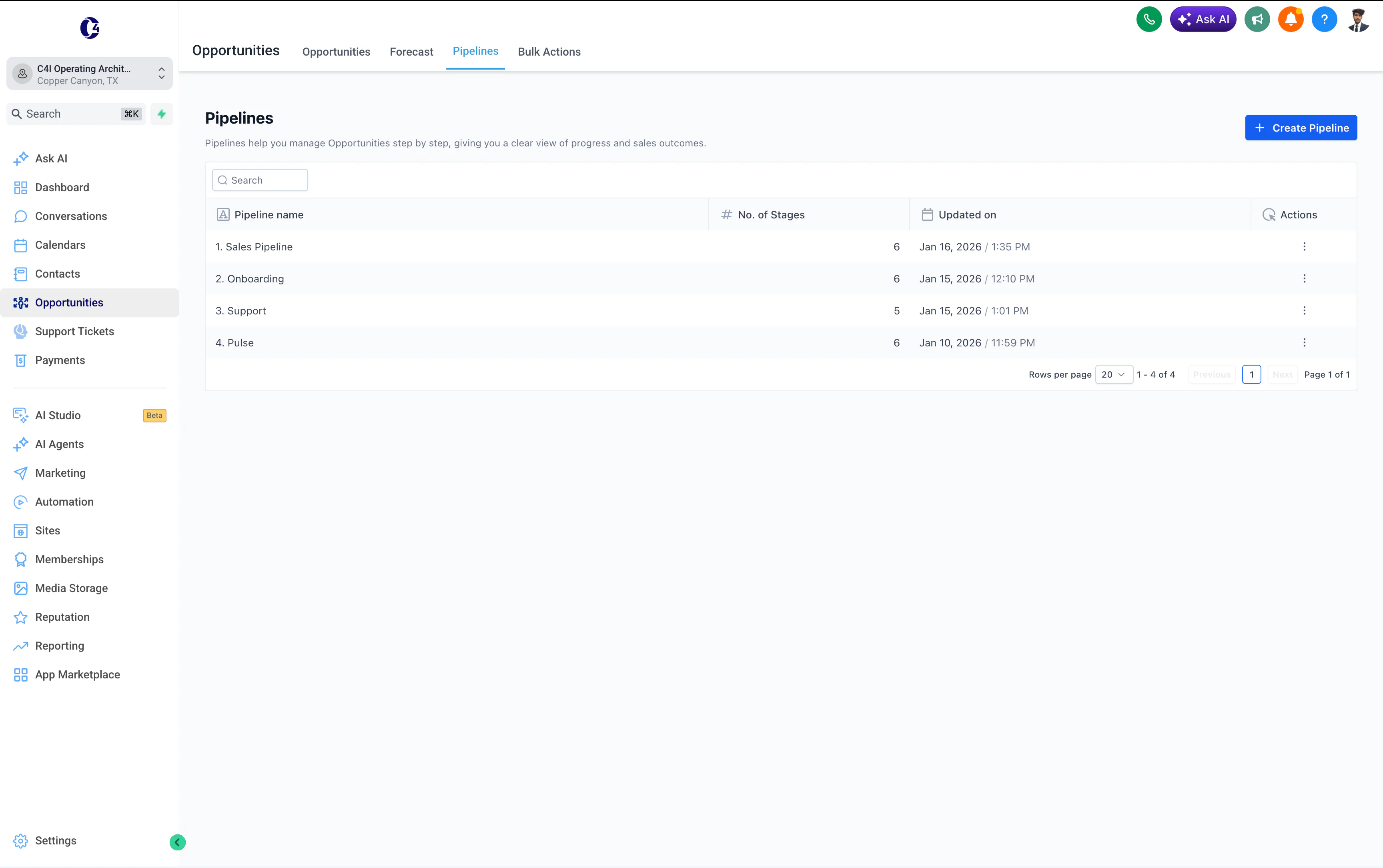
What Is CRM Automation?
CRM automation is the use of triggers, rules, and workflows to handle repetitive CRM work automatically, such as creating or updating records, assigning leads, sending follow-ups, creating tasks, moving pipeline stages, and surfacing what needs attention.
A simple way to think about it is:
Trigger → rule → action
A lead submits a form. A rule checks the source or fit. The CRM assigns the right owner and creates the next step.
If you are looking for implementation rather than the definition, see my CRM automation consulting.
How does CRM automation work?
CRM automation usually starts with an event, checks a rule, then creates the next action.
For example:
New lead → check source and fit → assign owner → create follow-up → update pipeline
The CRM is still the system of record. Automation keeps the record current and moves repetitive work around it.
A CRM is a place where a business keeps track of people.
Leads.
Customers.
Deals.
Messages.
Tasks.
CRM automation is when the CRM does some of the repeat work for you.
That is the simple version.
A person fills out a form.
The CRM creates the contact.
It saves where the lead came from.
It gives the lead to the right person.
It sends a reply.
It creates a task if nobody follows up.
Nobody has to remember every small step.
That is CRM automation.
Why does a small business need it?
Because people forget things.
Not because they are bad at their jobs.
Because they are busy.
A small team may be answering calls, doing the actual work, sending quotes, chasing invoices, helping customers, and trying to remember who asked for what.
A CRM can hold the information.
Automation can help move the information.
The goal is not to make the CRM clever. The goal is to make the next step hard to miss.
What are the benefits of CRM automation?
The useful benefits are operational, not cosmetic.
CRM automation can help a small team:
- respond to new leads faster
- reduce repetitive data entry
- make ownership clearer
- keep pipeline stages current
- create follow-up before it gets forgotten
- reduce missed handoffs between sales and delivery
- keep reporting closer to what is actually happening
Those benefits only hold when the rules are clear. Automating a messy pipeline can make the mess move faster.
What can you automate in a CRM?
Start with boring things.
Boring is good.
New leads
When someone fills out a form, the CRM can:
- create the contact
- add the lead source
- put the lead in the right pipeline
- assign an owner
- send a quick acknowledgement
- notify the team
Follow-up
If a lead does not answer, the system can remind someone to follow up.
Or it can send a simple message automatically.
If the person replies, the automation can stop.
That matters.
Good automation should know when to get out of the way.
Pipeline updates
When a deal moves from one stage to another, the CRM can create the next task.
For example:
New lead → Contacted → Qualified → Proposal → Won
When the deal becomes Won, onboarding can start.
That is where CRM automation starts connecting to the rest of the business.
Simple reporting
The CRM can also help answer questions like:
- How many new leads came in?
- Where did they come from?
- How many were contacted?
- How many booked?
- Which leads are waiting too long?
That is much better than asking three people to update a spreadsheet before a meeting.
CRM automation examples
Here are a few practical CRM automation workflows that show how the pieces fit together.
Website lead to assigned owner
Website form → CRM contact → source saved → owner assigned → acknowledgement sent
This removes manual copying and makes ownership clear from the beginning.
Ad lead to qualification
Ad form → CRM → qualification rules → priority tag → owner notification → follow-up
The system can keep the campaign and form source attached to the lead so sales and marketing are looking at the same record.
No-response follow-up
Lead contacted → no reply after set time → reminder or follow-up message → stop if lead responds
The stop rule matters as much as the follow-up rule.
Deal won to onboarding
Deal marked Won → onboarding stage → welcome message → intake form → project setup
That connects sales to client onboarding automation without making someone rebuild the customer context by hand.
Stale lead reactivation
No activity for set period → check lead status → send reactivation message or create task → update outcome
This is useful when the business has old leads that are still relevant but easy to forget.
CRM to another business tool
Sometimes the CRM is only one part of the process.
A workflow might be:
CRM stage change → Zapier → project tool → task created → team notified
These Zapier automation examples show more ways to move CRM events into the rest of the business stack.
What should stay human in CRM automation?
Keep people responsible for the parts that need judgement or relationship context.
That usually includes:
- discovery and sales conversations
- negotiation
- unusual qualification decisions
- sensitive follow-up
- scope changes
- escalations
- exceptions the workflow was not designed to understand
Automation should prepare the record and the next action. It should not pretend every customer situation is the same.
Where does AI fit?
Normal automation follows rules.
If this happens, do that.
AI can help when the input is less tidy.
For example, AI can:
- read a message and guess what service the person wants
- summarize a long conversation
- draft a follow-up email
- score a lead using the information already in the CRM
- turn notes into a short next-step summary
But AI should not be added just because the word AI sounds better.
If a normal rule works, use the normal rule.
It is cheaper, easier to test, and easier to trust.
What should you automate first?
I would start with this question:
Where does work get lost today?
Maybe leads sit in an inbox.
Maybe nobody knows who owns them.
Maybe follow-up happens late.
Maybe onboarding starts two days after payment because someone forgot to create the project.
Pick one of those problems.
Then write the steps down.
Do not start with the software.
Start with the process.
A tiny CRM automation example
Imagine a service business.
A person fills in a website form.
Without automation:
Form → email inbox → someone sees it → someone copies it into the CRM → someone replies → someone remembers to follow up
With a simple CRM workflow:
Form → CRM → owner assigned → reply sent → follow-up task created
That is not a huge transformation project.
It is one small leak removed.
Then you remove the next leak.
What tools can do this?
Many CRM platforms can automate these steps.
HubSpot, GoHighLevel, Salesforce, Pipedrive, and others all have built-in workflow features.
Tools like Zapier, Make, and n8n can connect the CRM to other systems when the work needs to move outside it.
The tool matters less than the flow.
I show examples of CRM pipelines and workflows in my GoHighLevel systems work, CRM automation consulting, and revenue automation work.
Keep it easy to understand.
A good CRM should answer three questions quickly:
Who is this person?
Where are they now?
What happens next?
Automation should make those answers clearer.
If it makes them harder to understand, the system is too complicated.
A useful CRM automation does not remove people. It removes remembering.
Further reading
IBM explains CRM automation as using technology to handle repetitive CRM work. Pipedrive's CRM automation guide also focuses on reducing repetitive work so teams can spend more time selling and helping customers.