
How to Automate Meta and Google Ads Leads Into Your CRM
Getting a lead from an ad platform into a CRM sounds simple.
The useful system is bigger than:
New lead → create contact.
A good lead flow should preserve where the lead came from, collect the information sales needs, decide what happens next, and make sure somebody follows up.
A practical structure looks like this:
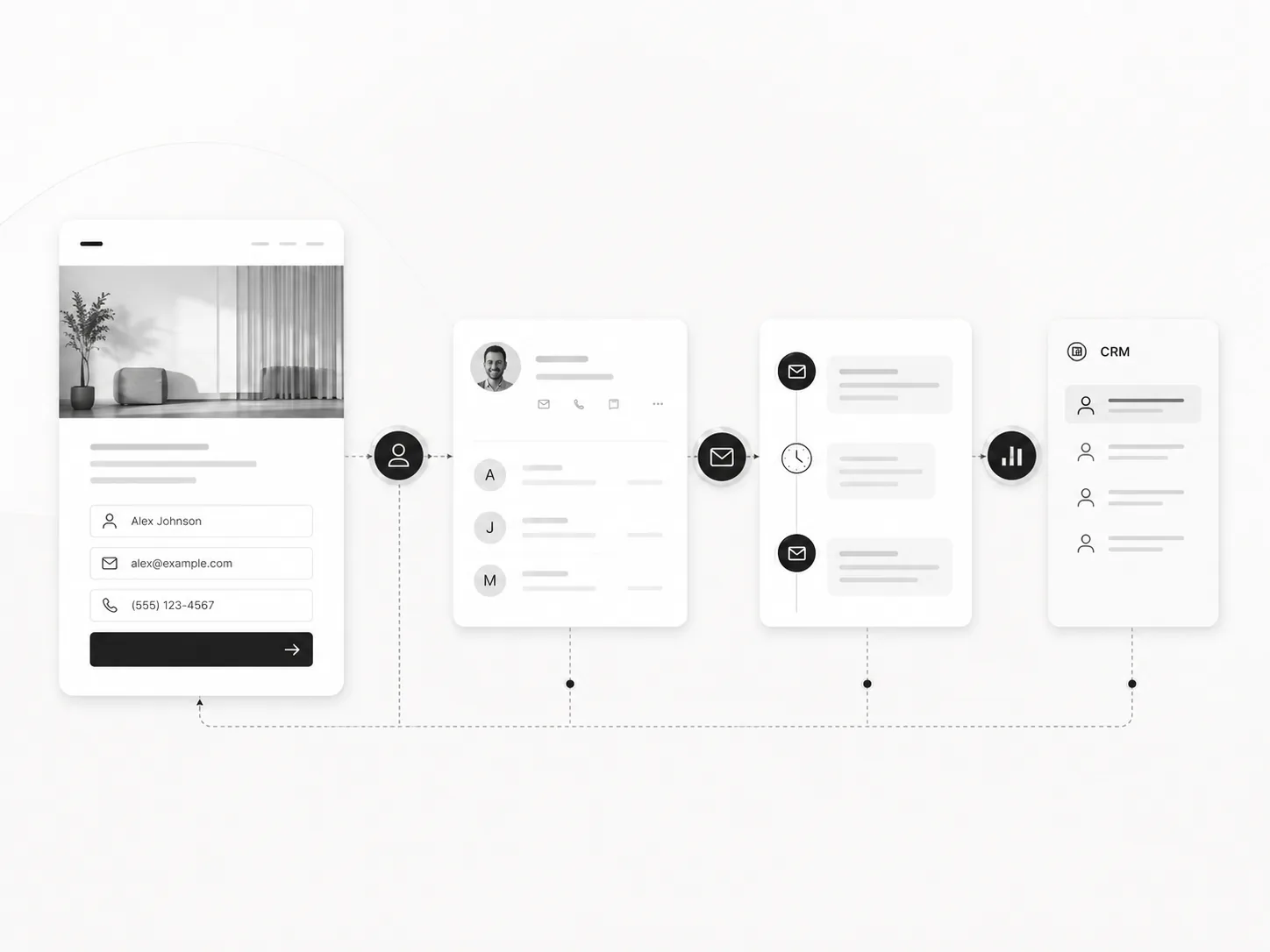
Meta or Google lead form → CRM → qualification → routing → follow-up → pipeline → reporting
1. Capture the lead without manual exports
The first goal is reliability.
When a lead submits a form, the record should enter the CRM automatically.
In GoHighLevel, Meta lead forms can sync into the CRM and trigger workflows when the Facebook integration and field mapping are configured. Google Lead Ads can also send lead form data into HighLevel for CRM workflows.
That removes the spreadsheet export step.
But importing the contact is only the beginning.
2. Preserve source and campaign context
Do not create a CRM record that only contains a name, email, and phone number.
Keep the context that explains why the person exists in the CRM:
- source platform
- campaign or form
- offer
- location when relevant
- answers to qualification questions
- consent or communication context
- timestamp
- original landing or lead path when available
That information helps with routing, follow-up, reporting, and later optimization.
3. Qualify after capture
Qualification does not always need to happen inside the form itself.
You can let the lead finish the form, create the CRM record, then classify the lead into the correct path.
Qualification can use:
- form answers
- geography
- requested service
- budget range
- company information
- CRM history
- enrichment data
- deterministic business rules
- AI-assisted interpretation of unstructured answers
I prefer deterministic rules for hard requirements and AI for context that actually needs interpretation.
4. Route the lead with an owner and next action
A "qualified" tag is not enough.
The workflow should answer:
Who owns this lead, what stage should it enter, and what happens next?
That may mean:
- assign a salesperson
- create an opportunity
- move the record into a pipeline stage
- notify the owner
- create a task
- send the correct first response
- offer a booking link
- put low-fit leads into a different nurture path
The handoff should be visible in the CRM.
5. Follow up quickly, but keep context
Fast follow-up is useful only when the message makes sense.
The workflow can use the lead source and answers to prepare the first email, SMS, or internal note.
If AI is involved, I use it to summarize or draft around known CRM context rather than letting it invent the qualification logic.
6. Send outcomes back into reporting
The system should eventually answer more than "how many leads did we get?"
Useful questions include:
- Which campaigns produced qualified leads?
- Which sources booked calls?
- Where do leads stop moving?
- Which owner or follow-up path performs best?
- Which campaigns produced revenue rather than form fills?
That is where lead automation becomes part of revenue operations, not just an integration.
Where GoHighLevel, n8n, and Zapier fit
If the ad platform and CRM connect directly, use the native integration when it is reliable and gives you the fields you need.
Use Zapier when the handoff is straightforward and you need to connect supported apps quickly.
Use n8n when qualification or routing needs deeper API work, enrichment, custom logic, several systems, or more control over the workflow.
And if the CRM already has strong native automation, keep as much logic there as makes operational sense.
The best architecture is not the one with the most tools.
It is the one where a lead can move from ad click to owned next action without disappearing between systems.
You can see the CRM side in my GoHighLevel work and CRM automation work.
Further reading
HighLevel documents direct Facebook lead form workflow triggers and its Google Lead Ads integration. The same practical questions show up in community discussions about qualifying GoHighLevel form leads and keeping Meta Ads leads organized in CRM.