
AI SEO Automation Workflows: What to Automate and What to Keep Human
SEO has a lot of repeated work.
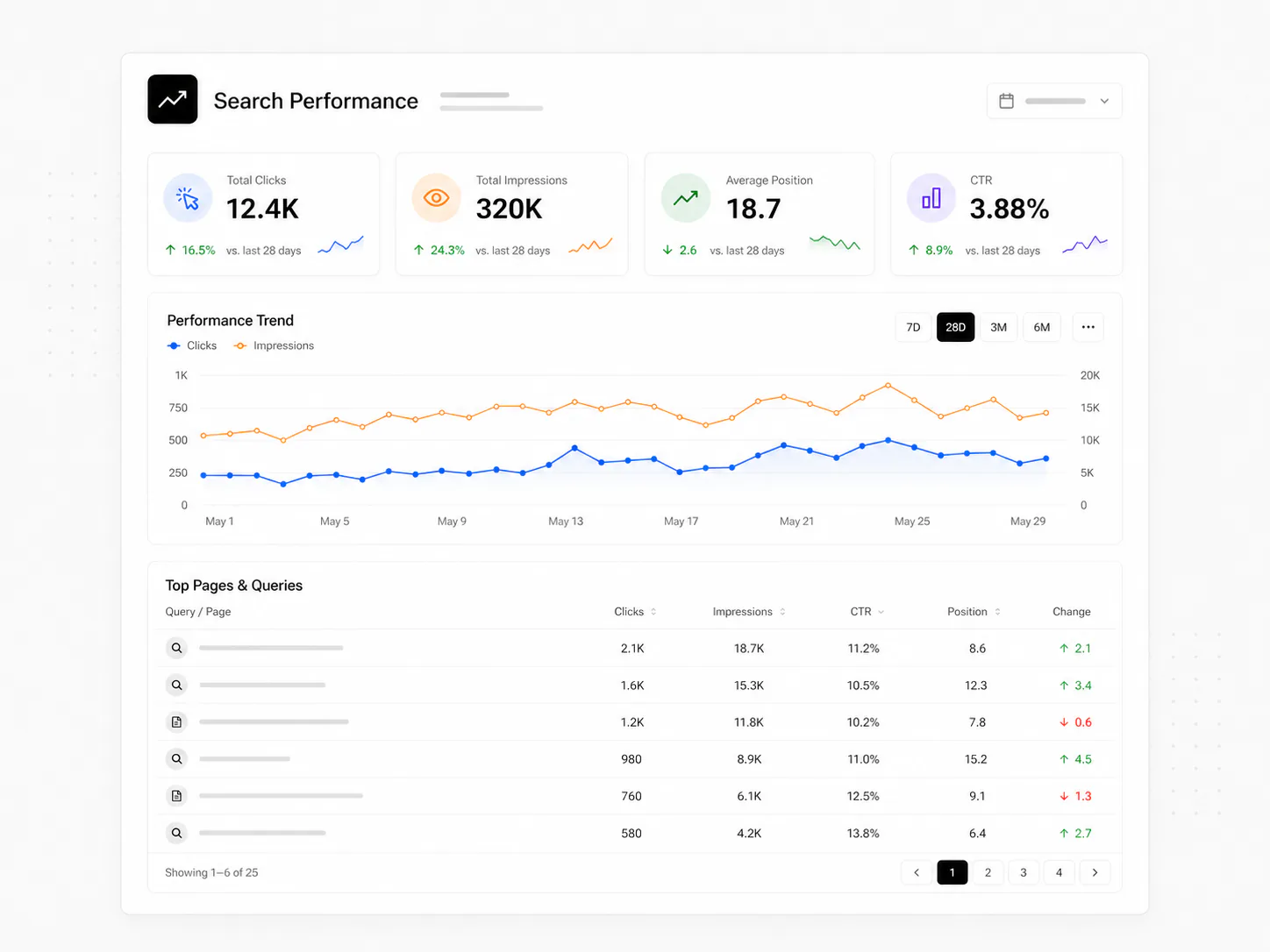
Check Search Console.
Look for new queries.
Find pages losing clicks.
Check titles.
Check internal links.
Look for broken pages.
Review content gaps.
Repeat next week.
That is where AI SEO automation workflows can help.
But SEO should not become a machine that creates pages just because a keyword exists.
The useful goal is simpler:
Automate the repeated checks and data movement. Keep people responsible for judgement.
What is an AI SEO automation workflow?
An SEO automation workflow is a repeatable system that collects a signal, checks it, and creates a useful next step.
AI can help when the signal needs reading, grouping, summarizing, or explaining.
Normal automation can handle the parts that are exact.
A simple workflow might look like:
Search Console data → find unusual change → summarize the issue → send it for review
That is much more useful than asking AI to "do SEO."
1. Search Console query monitoring
Google Search Console already tells you what people are searching for.
The repeated job is finding the useful changes.
A workflow can pull or receive query data and look for things like:
- a query gaining impressions
- a page moving from position 20 to position 9
- a page with high impressions and low clicks
- a new search phrase appearing around an existing topic
- a page losing clicks over time
Then the system can create a short report.
AI can help explain the pattern in simple language.
A person should still decide what to change.
2. Query-to-page matching
This is one of the most useful SEO workflows.
A query appears.
The system checks which page is ranking for it.
Then you ask:
Is this the page we actually want Google to show?
If yes, strengthen that page.
If no, decide whether a better page exists or whether a new page is genuinely needed.
That is exactly how I think about AI SEO automation: search data should feed page decisions, not a keyword factory.
3. Content gap detection
A content gap is not simply a keyword you have not used.
A useful gap exists when:
- people are searching for something relevant
- the site has no page that answers it well
- the topic fits the business
- the new page can add something useful
Automation can compare search queries against existing pages and group similar ideas.
AI can help cluster the phrases.
A person should decide whether the topic deserves a page.
4. Internal linking opportunities
Internal linking is a good automation candidate because the repeated part is finding related pages.
A workflow can:
- collect new and existing URLs
- compare topics
- find pages that mention related subjects
- suggest useful anchor text
- flag orphaned pages
But I would not automatically insert every suggested link.
A link should help the reader move to the next useful page.
For example, an article about CRM automation can naturally link to client onboarding automation or Zapier workflow examples when those topics are part of the explanation.
5. Technical SEO checks
Technical checks are one of the safest things to automate.
The rules are usually clear.
A workflow can look for:
- missing titles
- missing descriptions
- broken internal links
- bad canonicals
- missing structured data
- redirect problems
- noindex mistakes
- sitemap problems
- pages that fail to build
This is not glamorous.
It is useful.
A repeated technical check is exactly the kind of job a system should do consistently.
6. On-page review
AI can help review whether a page is clear.
For example, it can compare:
- the page title
- main heading
- introduction
- important subheadings
- internal links
- structured data
- the search queries already reaching the page
Then it can point out mismatches.
Maybe the page ranks for "customer onboarding automation" but only says "client onboarding" everywhere.
That does not mean you should stuff the other phrase into every paragraph.
It means the page may need one clear explanation that both phrases describe the same kind of workflow.
7. CTR opportunity monitoring
Sometimes a page is already ranking.
The problem is that people are not clicking.
A workflow can find pages with:
- strong impressions
- decent position
- weak CTR
Then you can review whether the title and description match the search intent.
This is especially useful when a page reaches the first page but still gets very few clicks.
The automation finds the opportunity.
A person improves the message.
8. SEO reporting
Reporting should not take hours every week.
A good workflow can collect:
- clicks
- impressions
- CTR
- average position
- top queries
- top pages
- winners
- losers
- new opportunities
Then AI can turn that into a short plain-English summary.
The report should answer:
What changed?
Why might it matter?
What should I look at next?
That is a much better use of AI than generating a long report nobody reads.
9. Content refresh signals
Old content does not need to be rewritten just because it is old.
But a workflow can flag pages when something meaningful changes.
For example:
- impressions rise but clicks do not
- rankings slowly fall
- new related queries appear
- important links break
- the page no longer matches the product or service
Then the page goes into a review queue.
Again, automation finds the signal.
A person decides what the update should be.
What should stay human in SEO?
A lot.
Keep people responsible for:
- deciding what the business should be known for
- choosing which topics matter
- understanding search intent
- deciding whether a new page is useful
- writing from real experience
- making claims
- choosing examples
- deciding what to remove
- reviewing important changes
AI can make the work faster.
It should not remove responsibility.
A simple AI SEO automation stack
You do not need a giant system.
A practical setup can use:
- Google Search Console for search data
- your website or CMS for page data
- n8n or Zapier for workflow automation
- a spreadsheet or database for history
- AI for clustering, summaries, or review
- Slack or email for alerts
The exact tools are less important than the flow.
A useful example is:
Search Console → query/page analysis → opportunity rule → AI summary → human review → page update
That is an SEO automation workflow with a clear purpose.
Do not automate content creation just to create more pages
This is where SEO automation can go wrong fast.
It is easy to generate 100 pages.
It is harder to create one page that actually deserves to rank.
Before creating content, ask:
- Is there real search demand?
- Does this fit the site?
- Do we already have a page for this intent?
- Can we explain it better than what already exists?
- Can we connect it to our real work, services, or experience?
If the answer is no, automation should not publish the page.
The best SEO workflow helps you notice what matters
SEO automation should reduce repeated checking.
It should make changes easier to see.
It should connect search data to the page that needs attention.
And it should keep a person in charge of the final decision.
You can see the broader system on my AI SEO automation page, and the same principle shows up across marketing automation, CRM automation, and AI automation systems.
A good AI SEO automation workflow does not replace SEO thinking. It makes the useful signals harder to miss.